AI Agents for Small Business in 2026
Agency AI Lab · Smart Business Automation
The useful question for a small business is no longer “What can AI do?” It is “Which job should we trust it to do?”
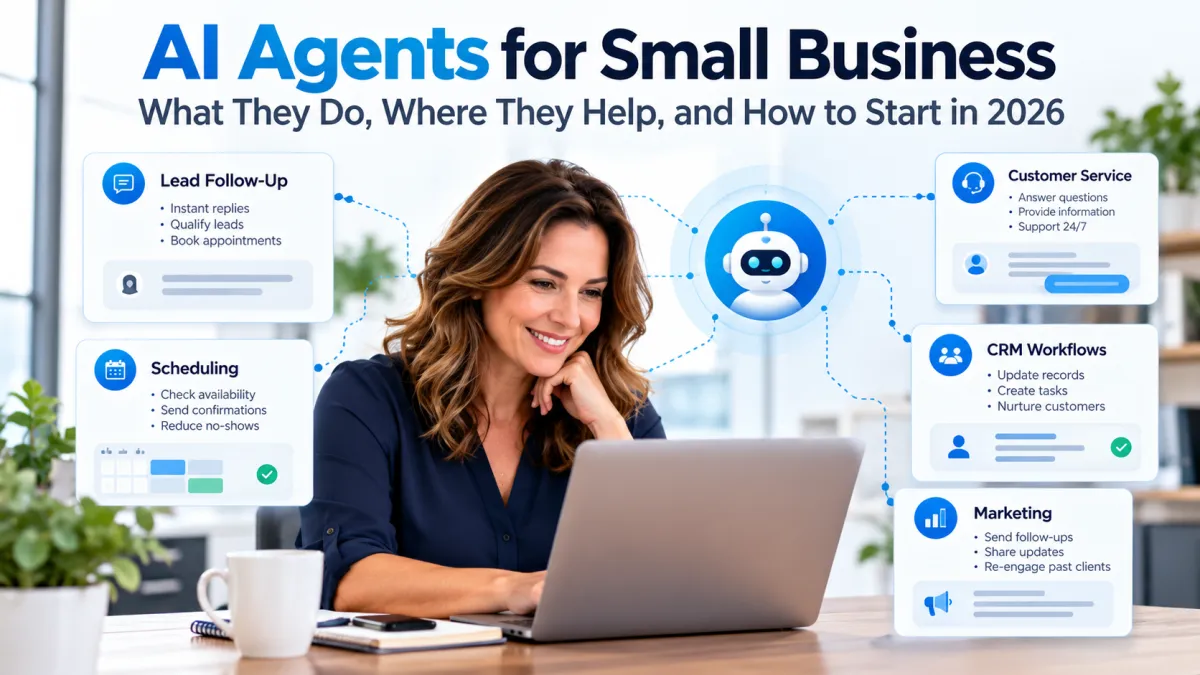
AI agents can participate in multi-step work such as responding to leads, scheduling appointments, updating customer records, gathering information, drafting follow-up, and routing work to the right person.
That does not mean every workflow needs an agent—or that every business should automate aggressively.
The strongest implementations start with a narrow problem, clear permissions, measurable results, and a human who remains accountable for the outcome.
What Is an AI Agent for a Small Business?
Short Answer
An AI agent is software that can use information, tools, and connected systems to work toward a defined goal with some ability to decide what step to take next.
The important distinction is action. A chatbot primarily responds. Traditional automation follows predefined steps. An agent can interpret context and choose among permitted actions inside a workflow.
In practice, an AI agent might receive a new inquiry, identify what the person needs, retrieve approved information, draft a response, ask a qualifying question, offer an appointment, update the CRM, and flag the conversation for a team member.
But autonomy exists on a spectrum.
Some agents simply prepare a recommendation for a human to approve. Others can complete routine actions automatically within tightly defined permissions.
That distinction matters more than the label on the software.
18%
A U.S. Census Bureau working paper reported that 18% of firms used AI in a business function during November 2025–January 2026. This covers business AI broadly, not AI agents specifically. Source: U.S. Census Bureau working paper. It should not be compared directly with surveys using different questions or populations.
The practical lesson is not that every small business is already running autonomous agents. It is that AI has moved far enough into everyday business software that owners increasingly need a framework for deciding where it is useful.
Agent vs. Automation
Not Every Automated Task Needs an AI Agent
Small businesses often use “AI agent” to describe several different kinds of technology. The distinction matters because the simplest system that can reliably do the job is often the best choice.
Conversation
Chatbot
Primarily answers questions, generates information, or guides a conversation.
Fixed Process
Automation
Follows a predefined sequence: when a specific event occurs, perform predetermined steps.
Adaptive Workflow
AI Agent
Interprets context and can choose among permitted actions while working toward a defined goal.
If a fixed rule handles a workflow reliably, use the fixed rule.
An AI agent becomes more useful when the process contains variation: different customer questions, incomplete information, changing context, multiple possible next steps, or decisions that require interpreting what just happened.
This is an important filter because adding AI to a workflow does not automatically make the workflow better.
Where AI Agents Can Actually Help a Small Business
The best use cases are usually not defined by industry buzzwords. They share a few practical characteristics.
The work happens repeatedly.
The desired outcome can be described clearly.
The agent has access to reliable information.
A person can tell whether the result was correct.
Lead Response
Qualify and route new inquiries
An agent can collect missing information, answer approved questions, identify the requested service, suggest a next step, and route the lead to the correct person.
Scheduling
Handle appointment logistics
Agents can help find available times, answer routine scheduling questions, confirm appointments, and manage straightforward rescheduling.
Customer Service
Resolve routine questions
An agent can retrieve approved information, summarize an issue, provide routine next steps, and escalate situations that require judgment or authority.
CRM
Keep records current
Agents can summarize conversations, populate approved fields, create tasks, capture follow-up notes, and reduce routine administrative updating.
Phone
Support missed-call workflows
Voice agents can answer basic questions, collect caller information, route calls, and help schedule appointments when the business cannot answer immediately.
Internal Operations
Prepare rather than decide
An agent can summarize meetings, assemble reports, gather records, draft routine communications, and prepare information for a human decision.
The best first agent is usually not the most autonomous one. It is the one solving a repetitive problem with a clear outcome and an easy way to check its work.
Agency AI Lab
Start With the Workflow, Not the AI Tool
Agency AI Lab explores practical ways to connect automation, CRM systems, customer communication, and AI without turning a simple business problem into a complicated technology project.
What Good Agent Operations Look Like
An Agent Needs a Job, Boundaries, and an Owner
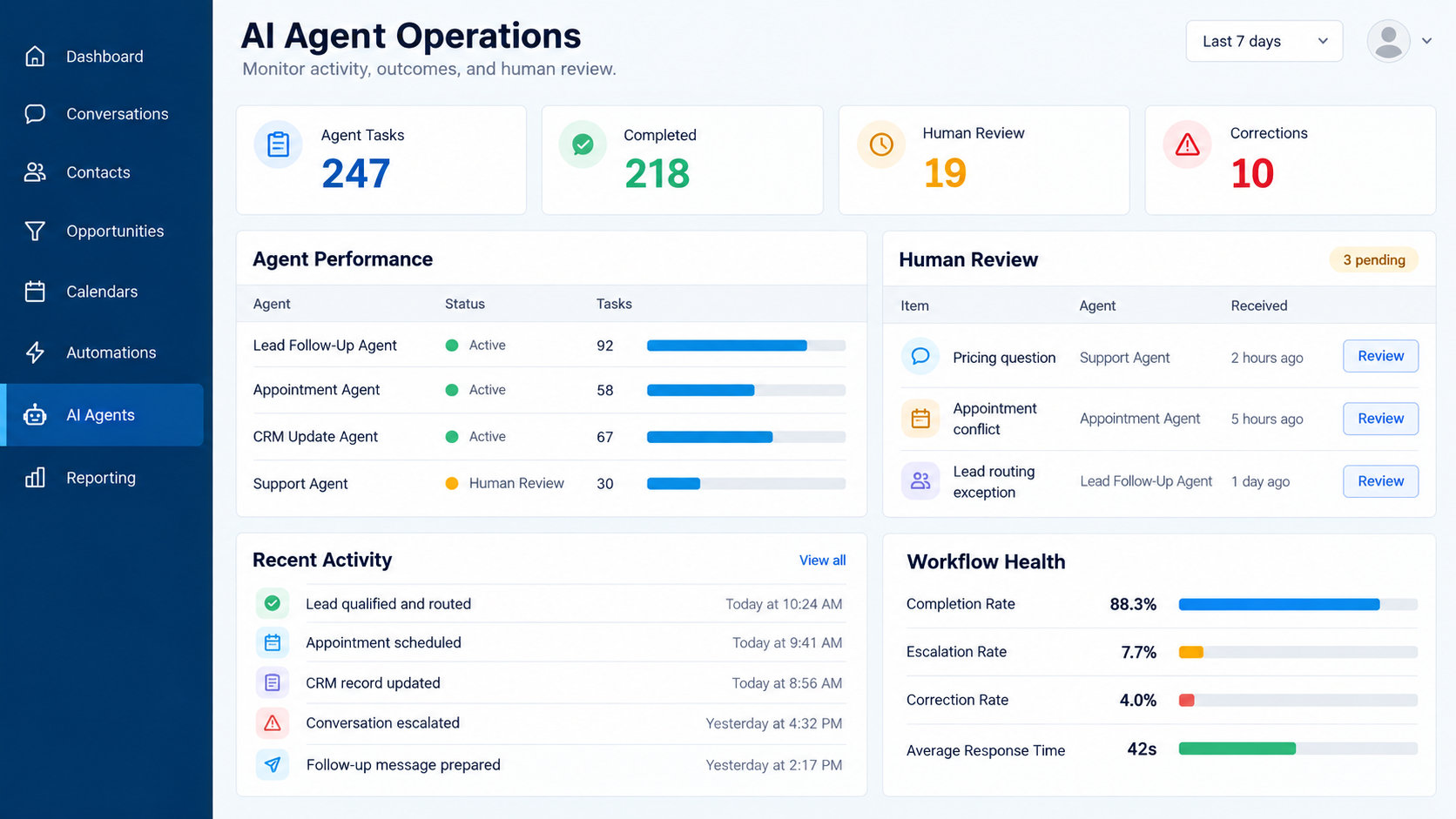
Editorial dashboard illustration showing activity, human review, corrections and escalations; not a live client result.
Which Workflow Should You Automate First?
Before buying an agent platform, evaluate the workflow itself.
Good Candidate
High frequency
The task happens often enough that reducing manual work would be noticeable.
Good Candidate
Clear outcome
You can describe what success looks like without needing dozens of judgment calls.
Good Candidate
Low-cost mistakes
An incorrect draft, routing decision, or escalation is recoverable and unlikely to create serious harm.
Good Candidate
Reliable information
The agent has access to current, approved information rather than conflicting documents and tribal knowledge.
Tasks That Usually Deserve More Caution
final legal or regulatory decisions
irreversible financial transactions
sensitive customer disputes
high-stakes health or safety decisions
termination, hiring, or disciplinary decisions
workflows where the agent lacks reliable source information
Five Areas to Review With an AI Implementation Provider
Step 1
Document the current workflow
Write down what triggers the work, what information is required, who currently handles it, and what a good outcome looks like.
Step 2
Decide what remains human
Identify approvals, sensitive situations, exceptions, judgment calls, and actions the agent should never perform independently.
Step 3
Limit permissions
Give the system access only to the information and actions required for its assigned job.
Step 4
Test real scenarios
Include normal cases, incomplete information, unusual customer questions, duplicate records, and situations that should trigger escalation.
Step 5
Measure the outcome
Compare response time, completion rate, correction rate, escalations, staff time, and customer outcomes before expanding the workflow.
The U.S. Small Business Administration similarly recommends starting small, testing AI tools, reviewing results, and evaluating whether they genuinely add value to the business.
Read the Census Bureau working paper on business AI use.
Where AI Agents Go Wrong
The biggest mistake is giving an agent more authority than the workflow requires.
An impressive demonstration can hide weak operating controls. Before allowing an agent to act, determine what information it can access, which systems it can change, which actions require approval, how activity is logged, and what happens when the agent is uncertain.
NIST's AI Risk Management Framework emphasizes governance, measurement, risk management, monitoring, and clearly defined responsibilities when organizations deploy AI systems.
Explore the NIST AI Risk Management Framework .
Human-in-the-Loop Is a Feature, Not a Failure
Small-business automation is sometimes presented as if the ultimate goal is removing people from the process.
That is usually the wrong benchmark.
A useful agent may complete most of a workflow and deliberately stop when it reaches something sensitive, unusual, expensive, or irreversible.
A simple operating model can separate work into three categories:
Agent Can Act
Routine, reversible, lower-risk tasks with clear boundaries.
Draft + Approve
The agent prepares the action, but a person reviews it before execution.
Human Only
Sensitive, high-stakes, strategic, regulated, or highly unusual decisions.
That model can be more useful than trying to maximize autonomy for its own sake.
What Changed in AI Agents During 2026?
The important development is not that agents suddenly became flawless digital employees.
The infrastructure around them is becoming more mature.
Newer agent platforms increasingly emphasize connected tools, longer-running tasks, context management, permissions, evaluation, monitoring, and structured handoffs.
The direction is toward agents that operate inside real business systems with clearer controls rather than isolated demonstrations that look impressive but are difficult to supervise.
What Small-Business Owners Are Asking Right Now
What is an AI agent, exactly?
Do I need an agent or ordinary automation?
What should I automate first?
How much access should an AI agent have?
Should a person approve the agent's work?
Can AI answer my phone after hours?
Can an agent update my CRM safely?
How do I know whether an AI agent is actually saving time?
These are editorial questions for evaluating the topic, not measured search-volume or private AI-chat data.
One Golden Nugget: Measure Corrections, Not Just Completions
What This Means
A dashboard showing that an AI agent completed 500 tasks sounds impressive.
It tells you very little if your staff had to correct 150 of them.
Track both the work the agent completes and the human effort required to review, repair, or reverse that work.
Useful small-business metrics can include:
percentage completed correctly without intervention
percentage requiring human correction
percentage escalated appropriately
time saved after review is included
customer complaints or exceptions
cost per successfully completed workflow
That tells you whether the agent is reducing work—or simply moving the work somewhere else.
Build the Workflow Before You Add the Agent
The best AI systems begin with a clearly defined business process. Agency AI Lab focuses on practical automation, connected customer systems, and AI workflows designed around real operational problems.
Frequently Asked Questions
What is an AI agent for a small business?
An AI agent is software that can use information and connected tools to work toward a defined goal, choosing among permitted actions based on the situation. The amount of autonomy varies by system and workflow.
How is an AI agent different from a chatbot?
A chatbot primarily communicates. An AI agent can also take permitted actions, such as retrieving records, creating tasks, updating a CRM, offering appointment times, or routing work to another system.
How is an AI agent different from traditional automation?
Traditional automation generally follows predefined steps. An AI agent can interpret changing context and choose among approved next actions. If a fixed workflow can handle a task reliably, traditional automation may still be the simpler choice.
What should a small business automate first?
Start with a frequent, repetitive workflow that has a clear outcome and low-cost mistakes. Lead intake, routine appointment coordination, conversation summaries, CRM updates, and common support questions can be reasonable candidates.
Do AI agents replace employees?
They can automate portions of work, but that does not mean an agent can assume every responsibility associated with a job. Many useful implementations keep people responsible for judgment, exceptions, approvals, customer relationships, and high-stakes decisions.
How do I know whether an AI agent is working?
Measure business outcomes rather than task counts alone. Useful measures include successful completion rate, corrections, escalations, staff time saved after review, customer outcomes, and the total cost of operating the workflow.
Related Agency AI Lab Guides
AI Workflow Automation for Business Operations
AI Search Optimization in 2026
Agency AI Lab publishes practical guidance on AI agents, automation, CRM systems, modern search, and connected business workflows.
Trusted Resources
AgencyAILab.com · CertainlySold.net · FLHomesMagazine.com · ElderPlacement.agency · Smart-N-Loans.com
